
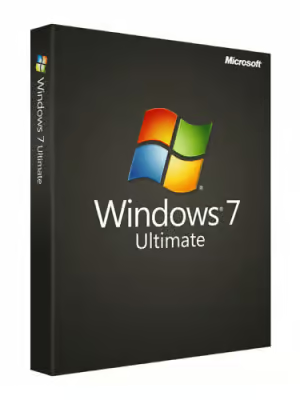
Microsoft Windows 7 OEM Ultimate Microsoft PC Key – GLOBAL
$18.26 Free digital delivery via email
In stock
- 30-day guarantee
- Secure Payments
Description
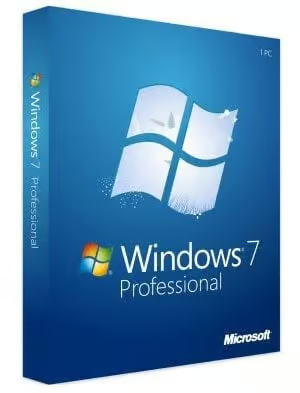
Microsoft Windows 7 Ultimate
W7 Ultimate is the most advanced edition of the W7 operating system. It features all the functions of Home Premium, and Professional editions, and more. This version of the system was developed to improve users’ experiences while using their devices and fix a number of issues from the past. W7 operating system features a new, quick, and intuitive user interface.
The new Desktop offers numerous helpful functions – it allows the user to preview the windows of running programs, and attach shortcuts to the Desktop Taskbar. In addition to that, W7 introduces a feature known as Desktop Gadgets – small mini-programs such as custom clock, calendar, etc, that you can pin to your desktop. In comparison to its predecessors, Windows 7 Ultimate is significantly more proficient. Thanks to new Search functions, users can find desired files much easier, and what’s important, faster than it was in previous editions on Windows OS.
While using W7, the overall system performance is much better, as Files Libraries such as videos, photos, music, documents, etc, are arranged automatically. In addition to that, Microsoft’s operation system supports 64bit architecture, which allows us to experience the full potential of the newest, powerful computers. Most gamers will appreciate the fact that Windows 7 visibly increases the performance of multi-core processors.
Reception
Microsoft Windows 7 Ultimate received extremely positive reviews and was warmly welcomed by users all over the world. According to many, it is the best version of Microsoft’s operating system and it is very popular even after Windows 10 premiere. Users praised its numerous improvements in comparison to W7 predecessor, Windows Vista.
Significantly better performance, a new, and better user interface, and a variety of useful functions were the most praised features of the Windows 7 system. Additionally, users appreciated automatic Libraries arrangement and 64bit architecture support.
Key Features
- Windows 7 Ultimate – the most complete edition of the Windows 7 system.
- Significantly higher performance – use the full potential of your computer.
- New Taskbar functions – discover new possibilities offered by Taskbar.
- Automatic files organization – stop worrying about your Libraries arrangement – the system will do it for you!
- Desktop Gadgets – browse through a variety of useful Desktop Gadgets.
NOTE: This is the Ultimate version of Windows 7 operating system, for the full list of features and functionalities please see this website.
Warning! This product cannot be used to upgrade your system from other version!
| Minimal requirements | |
|---|---|
| 1 GHz | |
| 1 GB – 32 Bit / 2 GB – 64 Bit | |
| 16 GB – 32 Bit / 20 GB – 64 Bit | |
| DirectX 9 graphics device with WDDM 1.0 |
Additional information
| Age Rating | 3 |
|---|---|
| Platform | Other |
| Region | GLOBAL |
| Windows minimum requirements | <strong>Minimum:</strong><ul class='bb_ul'> |
Activation Guide
WINDOWS 7 ACTIVATION
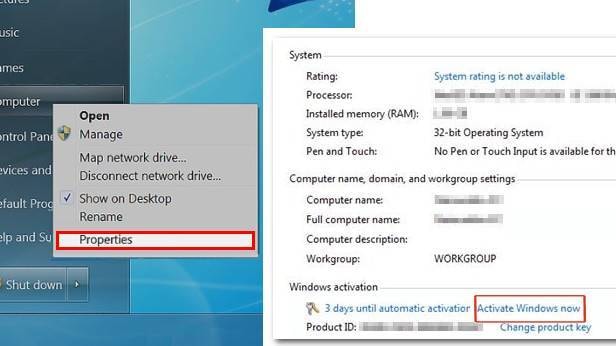
- Select the Start button icon, right-click Computer, select Properties, and then select Activate Windows now.
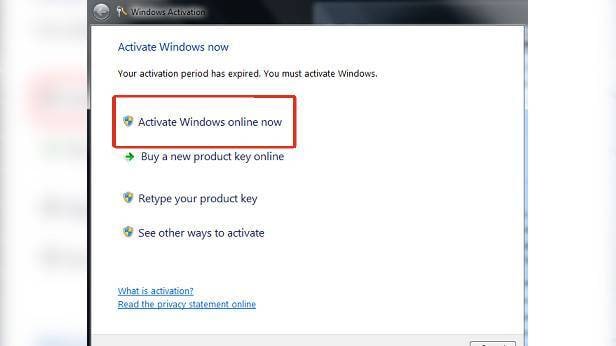
- If Windows detects an internet connection, select Activate Windows online now. You might be asked for an admin password or to confirm your choice.
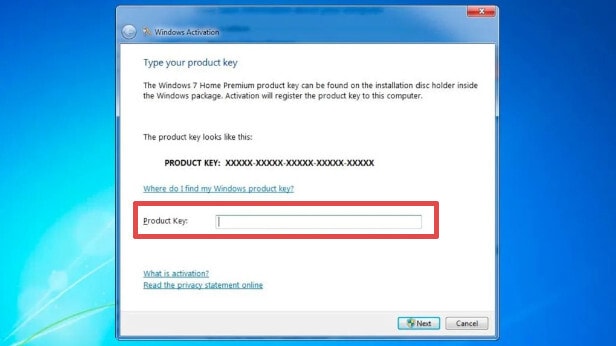
- Enter your Windows 7 product key when prompted, select Next, and then follow the instructions.
By Phone
- Select the Start button icon, right-click Computer, select Properties, and then select Activate Windows now.
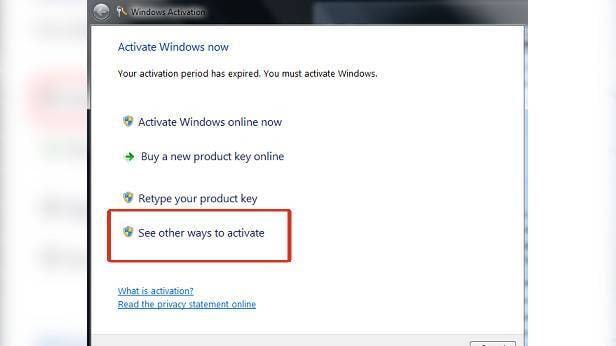
- Choose “See other ways to activate”.
- Enter your Windows 7 product key, and then select Next.
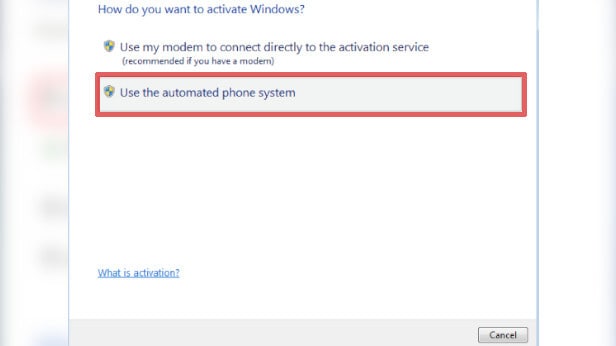
- Select Use the automated phone system. You may be asked for an admin password or to confirm your choice.
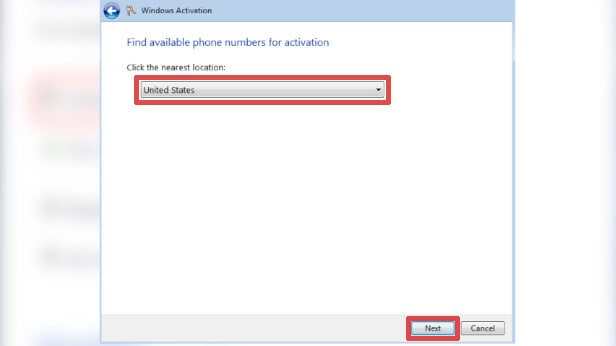
- Select your location (or the location nearest to you) from the drop-down list, and then select Next.
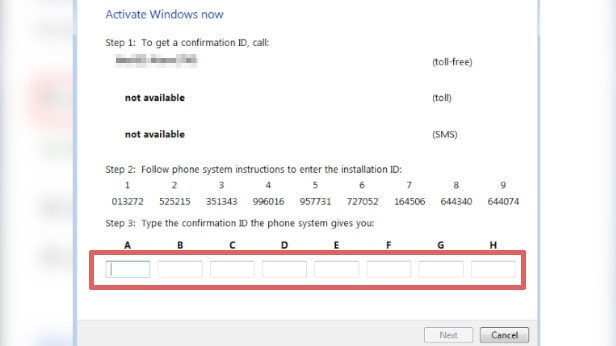
- Call one of the available phone numbers listed. An automated system will guide you through the activation process.
- After you type the Confirmation Id into the approtiate input boxes, the Next button will enable for you to select.
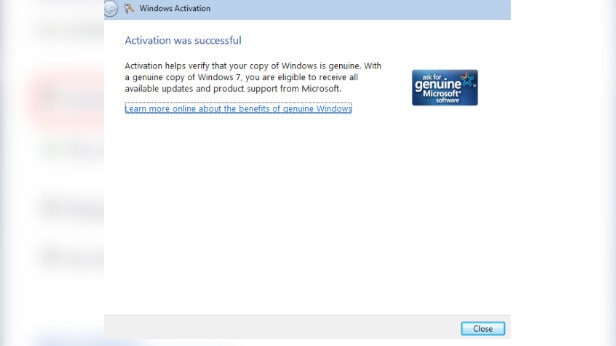
- After you click the Next button, Windows will match the installation id of the system and the confirmation id from your input and will complete the activation if the matching is successful.
Reviews
There are no reviews yet.