
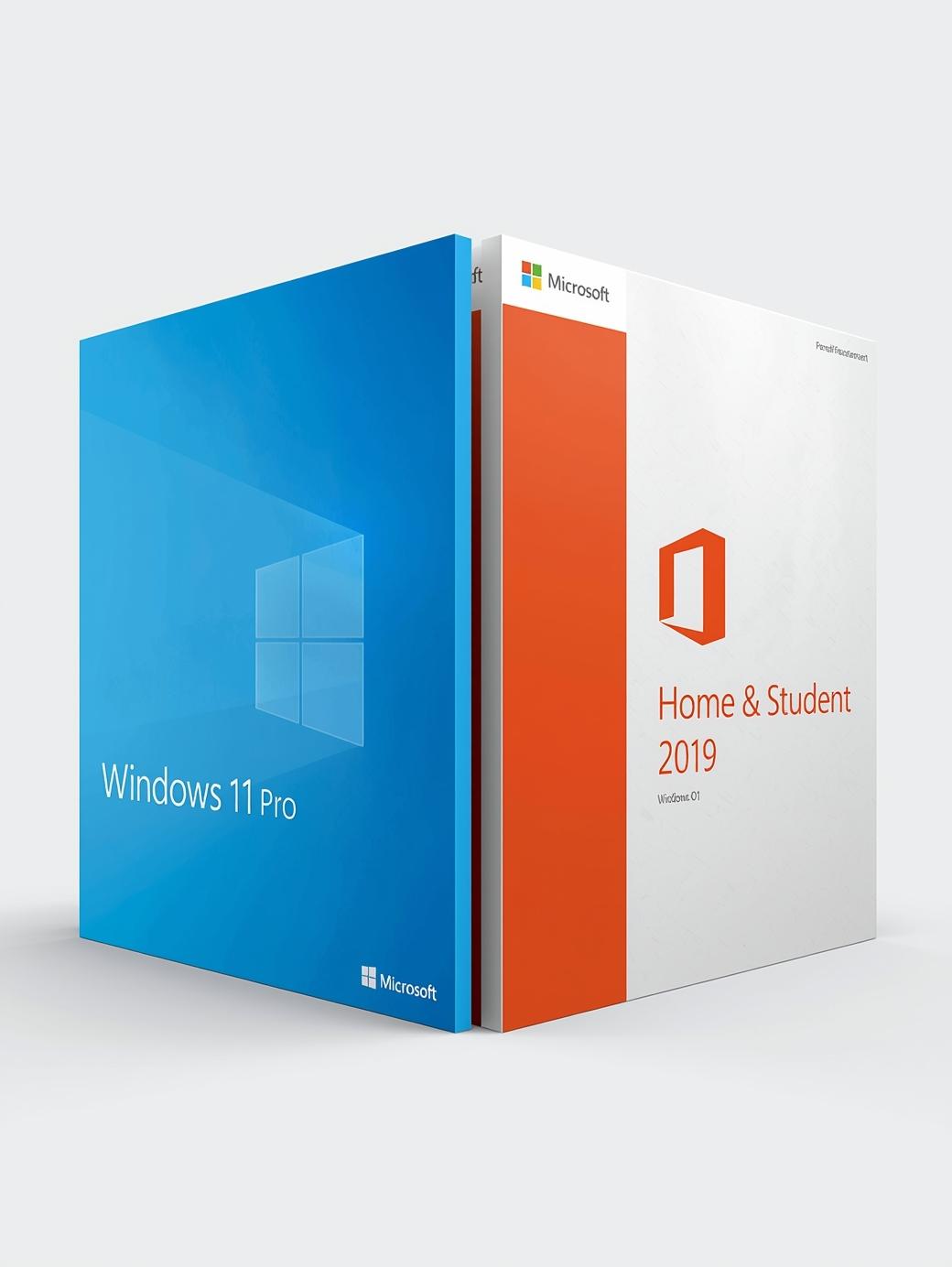
Microsoft Windows 11 Pro & Microsoft Office Home & Student 2019 Bundle (PC) – Microsoft Key – GLOBAL
$45.98 Free digital delivery via email
In stock
- 30-day guarantee
- Secure Payments
Description
About this item
- Microsoft Windows 11 Pro
- Microsoft Office Home & Student 2019
Description
Microsoft Windows 11 Pro
Microsoft Windows 11 Pro is the PC operating system, released in 2021 for those who want to get the most out of their work and life. An intuitive interface, new functions, and an extensive security system are just the beginning. Discover creative possibilities guaranteed by the full range of features of the new OS from Microsoft.
Crystal clear
Thanks to Fluent Design graphics, working with Win 11 Professional is a true delight. The Pro version puts comfort first, adapting the computer operation to casual and business users. Located in the center, the Start button gives you instant access to all the most essential tools, functions, and applications – and you can arrange them however you like.
With moving Widgets and the ability to save desktop arrangements, you are the creator of your most convenient workplace. Design the layout of your tools the way you like it, with quick access to the improved Microsoft Store, Microsoft Edge browser, and Teams messenger.
Contact anytime and anywhere
Windows 11 Pro is one-click contact with others. Thanks to Microsoft Teams, you can easily reach everyone from anywhere, whether using a computer or a mobile device. And with optimized voice and touch commands, the possibilities for creating and composing text are endless.
Gamers’ choice
Win 11 Professional is the ultimate gaming system. Thanks to the Auto HDR function, the games in your library are taken to a new graphic level. And all this with faster rendering and saving the CPU with the DirectStorage solution.
Security above all
Microsoft Windows 11 Professional increases productivity and security. Equipped with functions known from Windows 11 Home, it is supplemented with several additional tools. Work on multiple devices and anywhere you want. Thanks to BitLocker, the entire content of the device is safe even if you lose your PC. Plus, with Windows Information Protection, you can stop worrying about any data leakage.
Choose a retailer to buy the product key cheaper on G2A.com. Use the extensive range of Windows 11 tools. Manage your workplace network and access. Make cooperation easier with Microsoft 365 and stay up to date with the latest applications in the Microsoft Store.
This and much more you will find in the latest Microsoft Windows 11 Pro. Designed for business and private clients – for comfort, fun, and productivity.
Microsoft Windows 11 Pro features:
- Most popular operational system in the world with hundreds of millions of satisfied customers.
- The newest version of Windows professional for the most ambitious and demanding users.
- Safe and modern system that offers multiple features and options
- BitLocker device encryption – If your device is lost or stolen, BitLocker puts everything on lockdown, so no one else can access your systems or data.
- Device encryption – If you turn on device encryption, only authorized individuals will be able to access your device and data.
- Find my device – Keep track of your devices – even your digital pen!
- Firewall and network protection – Your Windows device comes with built-in security features to help safeguard against viruses, malware, and ransomware.
- Internet protection – App & Browser control in Windows Security helps protect your device from potentially dangerous apps, files, websites, and downloads.
- Parental controls and protection – Manage screen time, limit access to mature content, and control online purchases when you connect your family’s Microsoft accounts.
- Secure boot – Helps prevent malicious software applications and unauthorized operating systems from loading during the system start-up process.
- Windows Information Protection (WIP) – Helps protect enterprise apps and data against accidental data leaks on enterprise-owned devices and personal devices that employees bring to work.
- Windows Hello – Uses facial recognition, fingerprint, or PIN, for a fast, secure, and password-free way to unlock your compatible Windows devices.
- Windows Security – View and manage the security and health of your device.
Microsoft Windows 11 Pro also includes business management and deployment tools:
- Assigned Access
- Dynamic Provisioning
- Enterprise State Roaming with Azure
- Group Policy
- Kiosk mode setup
- Microsoft Store for Business
- Mobile device management
- Support for Active Directory
- Support for Azure Active Directory
- Windows Update for Business
Microsoft Office Home & Student 2019
Microsoft Office Home & Student 2019 use is one of the best productivity suites available on the market. Thanks to advanced software solutions used in the program, it offers unparalleled adaptability and functionality, making work easy and intuitive. Home & Student versions of the 2019 suite offer the essential components: Word, Excel, and PowerPoint.
These three will help you organize your work at home and study time with a variety of useful features. Create shopping lists, school essays, and more using Word; calculate house budget and create formulas in Excel; commemorate the most important family events or impress teachers with excellent presentations in PowerPoint. Microsoft Office Home and Student 2019 was recognized by the users and received favorable reviews for its convenience and usefulness.
Office for home use
Microsoft Office Home 2019is a perfect tool to help you carry out your day-to-day home activities. Install it on your device and let it lead you through creative options. Want to write a letter to a distant relative and invite them for a family reunion. You can do that with Microsoft Office Word 2019. The program offers a variety of fonts and styles, which will surely come in handy if you want to give your note a little bit more flair.
Microsoft Excel is a perfect tool to use when you want to calculate the house budget. Simply punch in the numbers and let the software do its magic. Excel is also a perfect solution for other types of calculations, creating charts, etc. It’s a program your home office will thank you for.
Microsoft Office PowerPoint is a very useful tool for getting the message across in a flashy way. Want to convince your parents to buy you a pet? Why not make a presentation explaining all the reasons why you deserve one. It also works perfectly during family functions, where you can put together a slideshow commemorating all the shenanigans and silliness, you and your relatives were up to in the days gone by.
Perfect for students
Students’ life is not easy. With all the pressure of keeping the grades up and making a good impression, it’s hard to focus on any one thing completely. Thanks to Microsoft Office Student 2019 suite you can leave at least part of the responsibility to the software. For example, Microsoft Word 2019 – a very useful tool for students of all ages. With it, your essays will always be pleasing to the eye and formatted to the highest MBA standards. Selection of fonts and styles, adjustable margins, headers and footers, references – all the necessary components of a great school writing collected in one program.
Another very useful tool for students to use is Microsoft Office Excel. Not only it is perfect software any sorts of calculations, but it can also be used for creating charts and tables, which will complement essays, presentations and more.
Speaking of presentations, Microsoft Office PowerPoint. A powerful slideshow-making tool, perfect for making presentations more attractive. The software offers various types of transitions, enhancements and more, making each slideshow unique and spectacular.
Reception
Microsoft Office Home & Student 2019 received favorable reviews from users and industry press. The reviewers praised the suite’s versatility and cross-platform usability. Each component of Microsoft Office 2019 was praised as being the best in their respective categories. Critics were in awe at the level of dedication that went into improving Microsoft Office suite and how much said improvements added to the overall use of the suite.
Additional information
| Platform | Microsoft |
|---|---|
| Region | GLOBAL |
Activation Guide
Activation Guide
Microsoft Office – Activation Guide
Keep in mind: This instruction includes the following sections: Download Software section and 3 different ways to activate it.
Firstly, download or deploy (for LTSC version) your software from the list below:
Secondly, activate it in one of the following ways:
Activation by Phone
Activation by Browser
In app activation
Microsoft software download
You can download the ISO of your Microsoft software 2013 / 2016 / 2019 /2021 from the official links provided below:
Office 2013
Office 2013 Professional Office 2013 Home and Business Office 2013 Home and Student
Office 2016
Office 2016 Professional Office 2016 Professional Plus Office 2016 Home and Business Office 2016 Home and Student
Office 2019
Office 2019 Professional Office 2019 Professional Plus Office 2019 Home and Business Office 2019 Home and Student Office 2019 Home and Business MAC
Office 2021
Microsoft Office 2021 Professional Microsoft Office 2021 Professional Plus Microsoft Office Home & Student 2021
Outlook
Outlook 2016 Outlook 2019 Outlook 2021
Access
Access 2016 Access 2019 Access 2021
Project 2016
Project 2016 Standard Project 2016 Professional
Project 2019
Project 2019 Standard Project 2019 Professional
Project 2021
Project Standard 2021 Project PRO 2021
Visio 2016
Visio 2016 Standard Visio 2016 Professional
Visio 2019
Visio 2019 Standard Visio 2019 Professional
Visio 2021
Visio Standard 2021 Visio PRO 2021
Microsoft Office – Phone activation

- Start Office program to start the activation process

- Select: ‘I want to activate the software by telephone’

- Select your county/region from the dropdown (ie. United States) and call the number provided

- In the phone call, You will be prompted to enter the Installation ID code provided by/in the installation window.

- You will be given/provided sets of numbers. Enter number sets into the text boxes.

- After you have entered the number sets (provided by telephone activation) into the (text) boxes, hit ‘Next’ and then ‘Finish’.

Microsoft Office 2021 – Browser activation
Keep in mind: if this page is visible during your internet activation, click “back” and activate it via phone

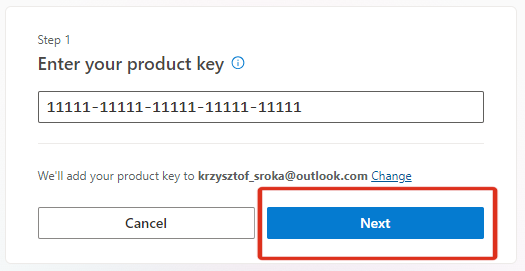
- Visit Office Setup Site

- Sign in with your Microsoft Account.

- If you don’t have a Microsoft Account create it following prompts.

- Enter your bought Microsoft key and finish the redemption process.

- Click ‘Next’ and your software will be assigned to your account
Microsoft Office 2021 – In app activation
- Open an Office app, such as Word or Excel.

- Go to File > Account in the top right corner.
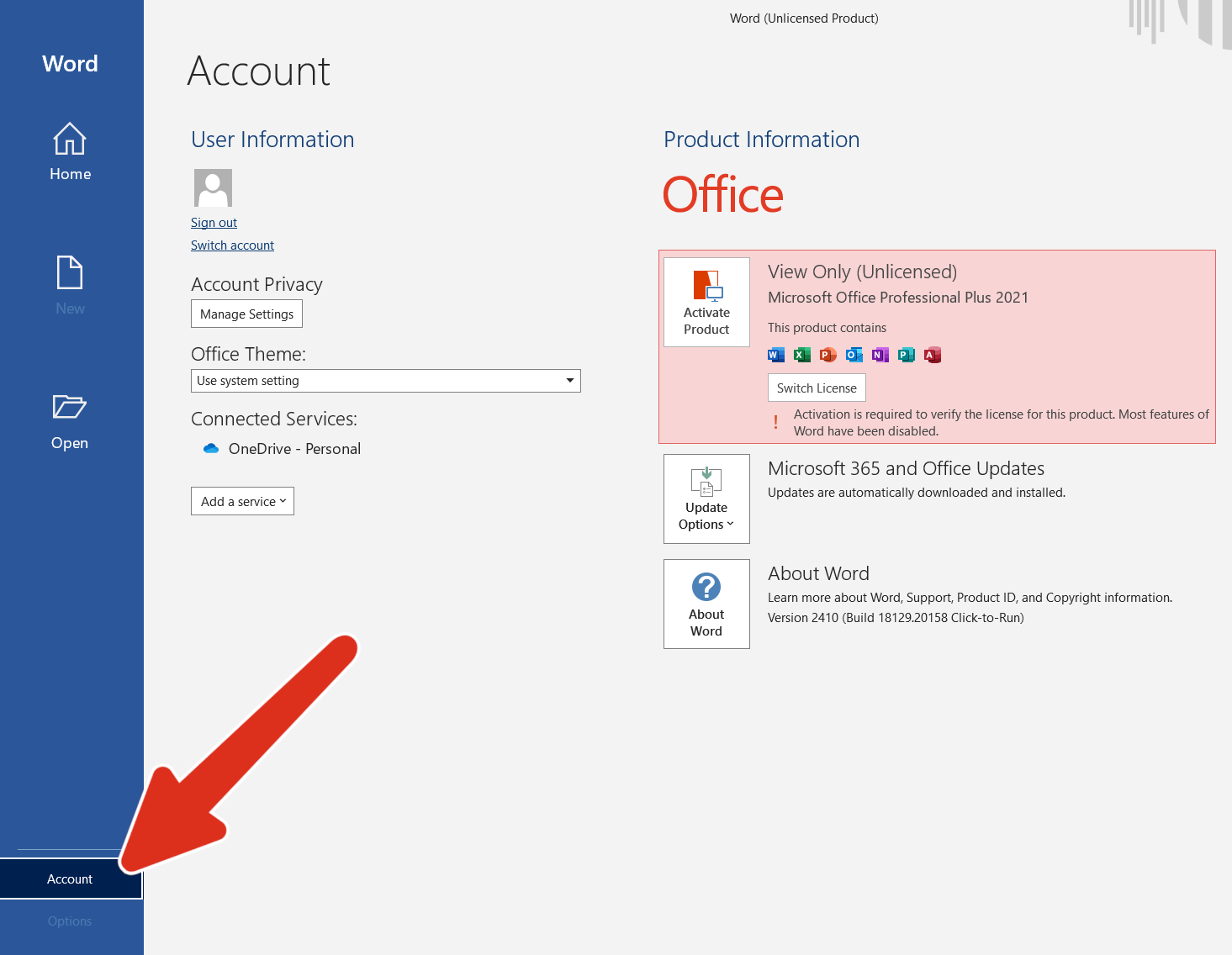
- Under Product Information, go to Activate Product.

- Enter your purchased CD key.

- Click Activate and wait for confirmation.
Keep in mind: If you see a notice that telephone activation is no longer supported for your product, it can still be accomplished visiting Microsoft page:
Choose your country/region and use the following phone numbers to activate your software.
Microsoft Office LTSC Activation:
-
- Download the Office Deployment Tool from the Microsoft Download Center
- Once you have a copy of the ODT, the next step is to create a configuration.xml file. Use the Office Customization Tool (OCT) instead of a text editor to create your configuration.xml file.
- Once you have a copy of the ODT and created your configuration.xml file, you can download the Office LTSC 2024 installation files to your local network. To do this, open an elevated command prompt, navigate to the folder where you saved the ODT and the configuration.xml file, and enter the following command: setup /download configuration.xml
- Install Office LTSC 2024 by using the Office Deployment Tool – open an elevated command prompt, navigate to the folder where you saved the ODT and the configuration.xml file, and enter the following command: setup /configure configuration.xml
Keep in Mind:
- For LTSC versions, customers must deploy it to install.
- It does not link to a Microsoft account.
- It is recommended that customers activate it via telephone (an automated system).
- For this license, the important thing is that there is no redeeming website.
- More info you can find on Microsoft website
Activation Guide Windows
Activation Guide
- To download/install Microsoft Windows 11 use tool available under this page: DOWNLOAD WIN11
- After clicking the button above you will be redirected to a product download page.
- Choose one of the three options to download/install Windows 11 and follow the displayed instructions:

*Windows 11 Installation Assistant * Create Windows 11 Installation Media * Download Windows 11 Disk Image (ISO)
You can activate Windows 11 Pro during installation or after the system is installed.
To enter the key during installation:
Wait for the prompt during the setup process and input your product key.
To enter the key after installation:
- Select the Start button
- Go to Settings
- Select System > Activation
- Choose Update product key, then click Change product key
- Enter your Windows 11 Pro key
Reviews
There are no reviews yet.