
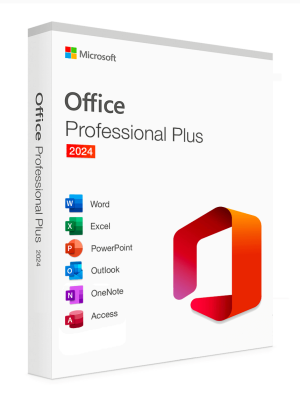
Microsoft Office 2024 Professional Plus (PC)
Original price was: $99.00.$19.90Current price is: $19.90. Free digital delivery via email
This is the LTSC version of Professional Plus 2024. It is the only version that exist in the market at the moment. The main difference is that the LTSC version only receives security updates, while the regular (Retail) version will receive both security and feature updates.
Languages: All Languages | License Type: Lifetime for 1 PC | 32-bit & 64-bit Setup Files
Product key are emailed immediately after purchase.
Office Professional Plus 2024 is for growing small businesses who want the classic Office apps (Word, Excel & PowerPoint) plus Outlook, Access, OneNote and the ability to store documents in OneDrive or locally on your computer. In Office 2024, you’ll find new co-authoring features, inking tools, data types, functions, translation and editing tools, motion graphics, ease-of-use features, and so much more!
Only for Windows 10 and Windows 11 PCs.
- 30-day guarantee
- Secure Payments
Description
Microsoft Corporation
• One-time purchase for a computer (Not Mac).
• Classic 2024 versions of Word, Excel, PowerPoint and Outlook, in addition to Access, OneNote and the ability to store documents in OneDrive or locally on your computer.
• Licensed for home and commercial use. All languages are included.
• Compatible with Windows 10/11*
* Go to https://office.com/systemrequirements for compatible versions of Windows 10/11 and for other functional requirements.
Activation Guide
How to activate:
- Start any Office application, such as Word or Excel.
- When prompted, sign in with the Microsoft account that you used to purchase Office. This account is linked to your Office license.
- If you have a product key, you may be prompted to enter it. You can find the product key in your purchase confirmation email or on the packaging if you bought a physical copy.
- Follow the on-screen instructions to complete the activation process. This may include agreeing to the license terms and confirming your account details.
- Once the activation is complete, you should see a confirmation message. Your Office applications are now ready to use.
How to activate Office LTSC:
- Download the Office Deployment Tool from the Microsoft Download Center
- Once you have a copy of the ODT, the next step is to create a configuration.xml file. Use the Office Customization Tool (OCT) instead of a text editor to create your configuration.xml file.
- Once you have a copy of the ODT and created your configuration.xml file, you can download the Office LTSC 2024 installation files to your local network. To do this, open an elevated command prompt, navigate to the folder where you saved the ODT and the configuration.xml file, and enter the following command: setup /download configuration.xml
- Install Office LTSC 2024 by using the Office Deployment Tool – open an elevated command prompt, navigate to the folder where you saved the ODT and the configuration.xml file, and enter the following command: setup /configure configuration.xml
How to activate via telephone using a Multiple Activation Key (MAK), follow these steps:
1. Open an Office Application: Launch any Office application, such as Word or Excel.
2. Access Activation Wizard:
- If prompted with the Activation Wizard, select “I want to activate the software by telephone” and click Next.
If the wizard doesn’t appear automatically:
- Go to File > Account.
- Under Product Information, click “Activate Product”.
- Choose “I want to activate the software by telephone” and proceed.
3. Select Your Country/Region: Choose your country or region to obtain the appropriate telephone number for activation.
4. Call Microsoft Activation Center: Dial the provided number. An automated system will guide you through the activation process. You will be prompted to provide the Installation ID displayed on your screen.
5. Enter Confirmation ID: After verifying your Installation ID, the system will provide a Confirmation ID. Enter this ID into the corresponding fields in the Activation Wizard. Click Next to complete the activation.
Reviews
There are no reviews yet.