
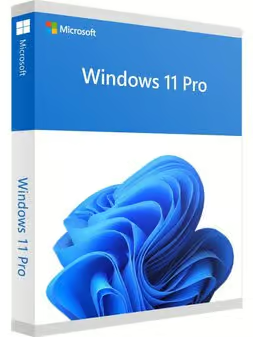
Windows 11 Professional Retail
Original price was: $99.00.$15.00Current price is: $15.00. Free digital delivery via email
In stock
- 30-day guarantee
- Secure Payments
Description
- Online activation in activation menu, after the installation is finished
- You can’t upgrade it from windows 11 home but, it will not work on the “Windows 11 Pro N”
- Does not bind to your Microsoft account
- Can not be reactivated / transferred to another computer
- Instant delivery – 2 minutes
- Permanent activation
- Region: Global
- Multilingual
- Updates possible
- Invoice will automatically be generated upon placing an order.
- email support
Buy Microsoft Windows 11 Pro License
Windows 11 pro is so familiar and easy to use, you will feel like an expert in no time. The Start Menu is back in an expanded form. Windows 11 pro starts up and resumes fast, has more built-in security to help keep you PC safe, and is designed to work with software and hardware you already have.
Familiar And Easy To Use
The familiar start menu is back and better than ever, to give you quick access to your most important tools. Windows 11 works with more hardware and software, including what you already have.
Fast And Smooth
Windows 11 starts quickly, resumes fast and runs apps so smoothly even older machines feel new again. The new Battery Saver feature helps you work and play longer than any other operating system has before.
Peace Of Mind
Windows 11 has upgraded security features, automatic updates and helps you stay current on the latest features and security.
Windows 11 pro Compatibility
Windows 11 is designed to be compatible with programs that run on Windows 7 or Windows 8/8.1. Your documents and files are preserved so you won’t need to worry about things getting lost or damaged.
Your Very Own Digital Assistant
Cortana, is your online personal assistant who works across all your Windows 11 devices to help you get things done.
More multi-doing.
Get great new ways to stay organized and be productive. You can easily snap up to four apps on one screen and create virtual desktops for when you need more space.
Great for Office.
Windows 11 is the perfect partner for running the world’s greatest productivity suite including Word, Excel, PowerPoint and Outlook. You can find Office Packages through our website.
Enhanced encryption.
Get additional security with BitLocker to help protect your data with encryption and security management.
Remote log-in.
Windows 11 pro enables you to log in with Remote Desktop to sign in and use your Pro PC while at home or on the road.
Virtual machines.
Create and run virtual machines with Hyper-V so you can run more than one operating system at the same time on the same PC.
Your apps in the Store.
Windows 11 pro lets you create your own private app section in the Windows Store for convenient access to company applications.
System requirements
Processor: 1 gigahertz (GHz) or faster with 2 or more cores on a compatible 64-bit processor or System on a Chip (SoC).
RAM: 4 gigabyte (GB).
Storage: 64 GB or larger storage device Note: See below under “More information on storage space to keep Windows 11 up-to-date” for more details.
System firmware: UEFI, Secure Boot capable. Check here for information on how your PC might be able to meet this requirement.
TPM: Trusted Platform Module (TPM) version 2.0. Check here for instructions on how your PC might be enabled to meet this requirement.
Graphics card: Compatible with DirectX 12 or later with WDDM 2.0 driver.
Display: High definition (720p) display that is greater than 9” diagonally, 8 bits per color channel.
Activation Guide
- To download/install Microsoft Windows 11 use tool available under this page: DOWNLOAD WIN11
- After clicking the button above you will be redirected to a product download page.
- Choose one of the three options to download/install Windows 11 and follow the displayed instructions:

*Windows 11 Installation Assistant * Create Windows 11 Installation Media * Download Windows 11 Disk Image (ISO)
You can activate Windows 11 Pro during installation or after the system is installed.
To enter the key during installation:
Wait for the prompt during the setup process and input your product key.
To enter the key after installation:
- Select the Start button
- Go to Settings
- Select System > Activation
- Choose Update product key, then click Change product key
- Enter your Windows 11 Pro key
Reviews
There are no reviews yet.