

Microsoft Office Professional Plus 2021 (PC) – Microsoft Office Key – GLOBAL
$21.29 Free digital delivery via email
Office LTSC Professional Plus 2021:
- On-Premises: Tailored for environments requiring offline functionality and independence from cloud-based services.
- Stability and Security: Prioritizes reliability with a feature-locked design, receiving only security and performance updates over its lifecycle.
- Comprehensive Suite: Includes advanced applications like Access and Publisher, catering to professional and enterprise needs.
In stock
- 30-day guarantee
- Secure Payments
Description
What do I gain?
With the Microsoft Office suite, you have all the most vital office applications at your fingertips. No matter what task you undertake – these proven programs will make your work easier and more effective than ever before. Edit documents, create impressive spreadsheets, and design projects. Microsoft Office 21 will allow you to let your creativity run wild and make any idea come true.
The operation of these classic office apps is intuitive, and the interface is clear. Therefore, it is an excellent tool for users of all ages. Microsoft Office Professional Plus 2021 is only compatible with Windows 10 and Windows 11. They are the most proven, advanced, and most popular operating systems from Microsoft – equipped with a wide range of new features. Everything for your convenience of use.
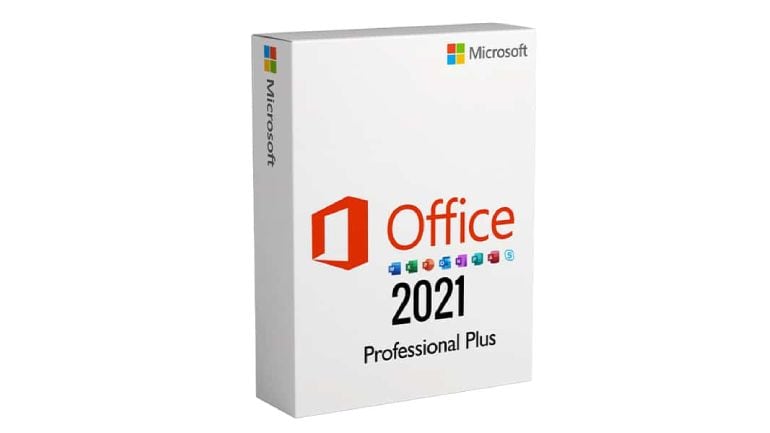
Office Plus 21 – a reliable partner
This package is a suite of flagship software from Microsoft – designed for your productivity. Create and edit documents in Office Word to free your creativity. Manage your spreadsheets in Office Excel, and you will soon find out that the most challenging calculations and planning are your natural talent. Are you planning to create an impressive presentation?
In this case, your irreplaceable friend is Microsoft PowerPoint – perfect for creating and editing slides for any occasion, with a wide range of animations, fonts, and objects to choose from. And if you are looking for a program that will support data resource management, try Office Access. Office 2021 also offers Microsoft Publisher for effortless content publishing. And what if you want to keep in touch? The answer is Office Outlook. It will help you manage your e-mails and inform you about any scheduled tasks for the day.
Buy once and enjoy your productivity!
Microsoft Office Professional Plus 2021 is one PC license code. It means that by installing it on the selected device, you have access to the best applications from Microsoft – at your fingertips. What is more, it is a one-time purchase! No additional payments or unnecessary subscriptions. Buy Microsoft Office 2021 and enjoy professional content from Microsoft made just for you.
System requirements
Additional information
| Age Rating | 3 |
|---|---|
| Platform | Microsoft Office |
| Region | GLOBAL |
| Windows minimum requirements | <strong>Minimum:</strong><ul class='bb_ul'> |
Activation Guide
Microsoft Office – Activation Guide
Keep in mind: This instruction includes the following sections: Download Software section and 3 different ways to activate it.
Firstly, download or deploy (for LTSC version) your software from the list below:
Secondly, activate it in one of the following ways:
Activation by Phone
Activation by Browser
In app activation
Microsoft software download
You can download the ISO of your Microsoft software 2013 / 2016 / 2019 /2021 from the official links provided below:
Office 2013
Office 2013 Professional Office 2013 Home and Business Office 2013 Home and Student
Office 2016
Office 2016 Professional Office 2016 Professional Plus Office 2016 Home and Business Office 2016 Home and Student
Office 2019
Office 2019 Professional Office 2019 Professional Plus Office 2019 Home and Business Office 2019 Home and Student Office 2019 Home and Business MAC
Office 2021
Microsoft Office 2021 Professional Microsoft Office 2021 Professional Plus Microsoft Office Home & Student 2021
Outlook
Outlook 2016 Outlook 2019 Outlook 2021
Access
Access 2016 Access 2019 Access 2021
Project 2016
Project 2016 Standard Project 2016 Professional
Project 2019
Project 2019 Standard Project 2019 Professional
Project 2021
Project Standard 2021 Project PRO 2021
Visio 2016
Visio 2016 Standard Visio 2016 Professional
Visio 2019
Visio 2019 Standard Visio 2019 Professional
Visio 2021
Visio Standard 2021 Visio PRO 2021
Microsoft Office – Phone activation

- Start Office program to start the activation process

- Select: ‘I want to activate the software by telephone’

- Select your county/region from the dropdown (ie. United States) and call the number provided

- In the phone call, You will be prompted to enter the Installation ID code provided by/in the installation window.

- You will be given/provided sets of numbers. Enter number sets into the text boxes.

- After you have entered the number sets (provided by telephone activation) into the (text) boxes, hit ‘Next’ and then ‘Finish’.

Microsoft Office 2021 – Browser activation
Keep in mind: if this page is visible during your internet activation, click “back” and activate it via phone

- Visit Office Setup Site

- Sign in with your Microsoft Account.

- If you don’t have a Microsoft Account create it following prompts.

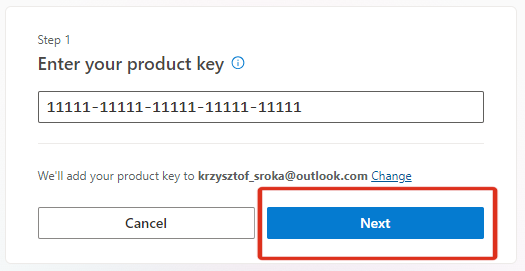
- Enter your bought Microsoft key and finish the redemption process.

- Click ‘Next’ and your software will be assigned to your account
Microsoft Office 2021 – In app activation
- Open an Office app, such as Word or Excel.

- Go to File > Account in the top right corner.
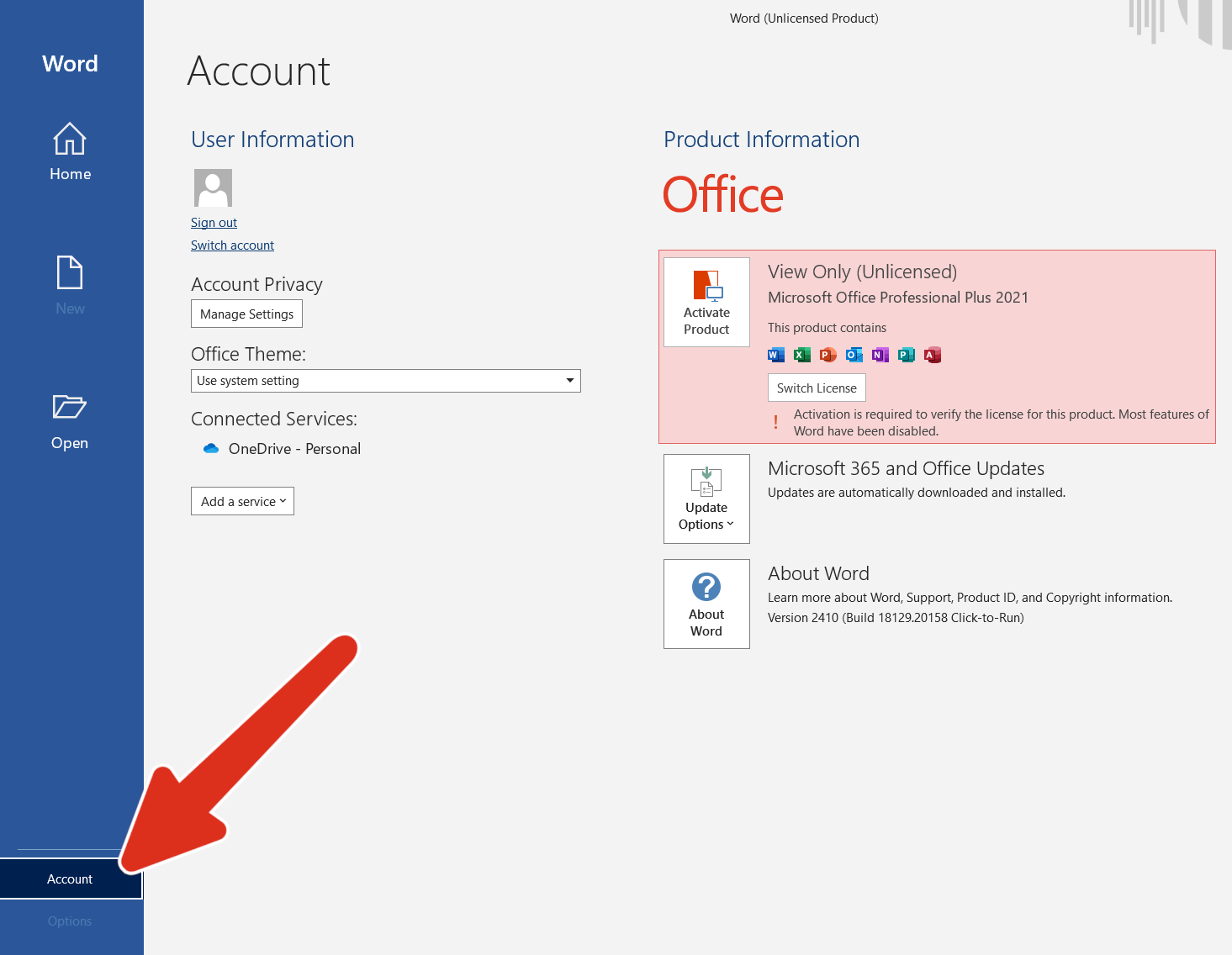
- Under Product Information, go to Activate Product.

- Enter your purchased CD key.

- Click Activate and wait for confirmation.
Keep in mind: If you see a notice that telephone activation is no longer supported for your product, it can still be accomplished visiting Microsoft page:
Choose your country/region and use the following phone numbers to activate your software.
Microsoft Office LTSC Activation:
-
- Download the Office Deployment Tool from the Microsoft Download Center
- Once you have a copy of the ODT, the next step is to create a configuration.xml file. Use the Office Customization Tool (OCT) instead of a text editor to create your configuration.xml file.
- Once you have a copy of the ODT and created your configuration.xml file, you can download the Office LTSC 2024 installation files to your local network. To do this, open an elevated command prompt, navigate to the folder where you saved the ODT and the configuration.xml file, and enter the following command: setup /download configuration.xml
- Install Office LTSC 2024 by using the Office Deployment Tool – open an elevated command prompt, navigate to the folder where you saved the ODT and the configuration.xml file, and enter the following command: setup /configure configuration.xml
Keep in Mind:
- For LTSC versions, customers must deploy it to install.
- It does not link to a Microsoft account.
- It is recommended that customers activate it via telephone (an automated system).
- For this license, the important thing is that there is no redeeming website.
- More info you can find on Microsoft website

Reviews
There are no reviews yet.