
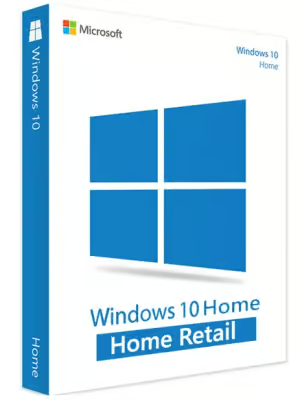
Microsoft Windows 10 Home N (PC) – Microsoft Key – GLOBAL
$16.07 Free digital delivery via email
In stock
- 30-day guarantee
- Secure Payments
Description
More flexibility and comfort
New Microsoft applications and features. Time Line and Focus Assist will help you stay focused on your current work. You will not have to use your mobile to access important files. Now you can get what you want directly via your computer.
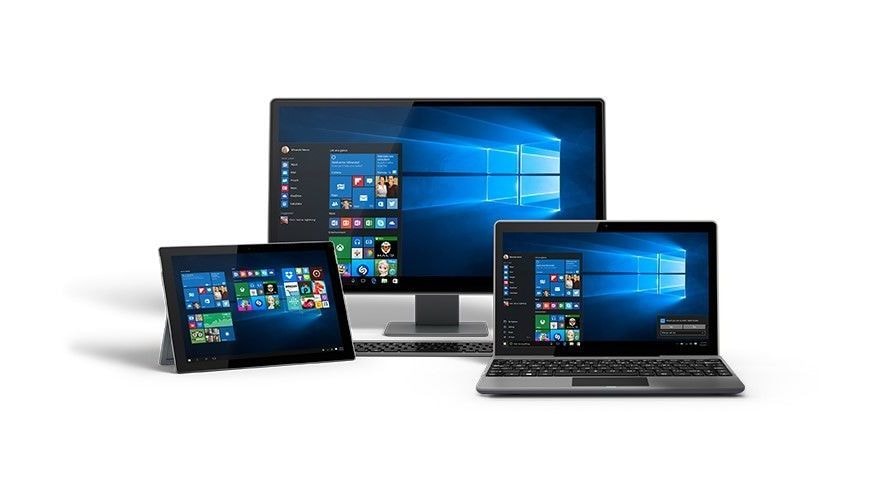
The search bar on your taskbar will allow you to search all the databases and resources you could think of. If you don’t remember where you put your text file (or whether you have downloaded it from the net at all), just type its title into the search bar. It will search your whole computer and the Internet as well. You will see whether you have this text somewhere in your files or you need to download it from the net.
Faster and smarter
The system starts up about three times faster. Log in with your password or with your PIN. Faster Windows also means faster Wi-FI networks and browser. Microsoft Edge got a solid update and a rework to match the modern expectations of our customers and the speed of the world we live in. The system will also recognize you thanks to the Windows Hello feature, which will light up any of your Windows devices if you are near them.
Moreover, Cortana, your personal assistant, is here to support you, too. It’s a digital assistant who works across all of your Windows 10 devices. As Cortana is an artificial intelligence engine, she will learn from your actions and routines. So, every day she will get better and more useful to you.
Your work in order
Microsoft Windows 10 N helps you create and manage your docs, presentations, and spreadsheets wherever you are and whatever you do. Work with your documents on your PC and create your presentations easily with a digital pen on your tablet or any other touchscreen devices with Microsoft Windows 10 installed.
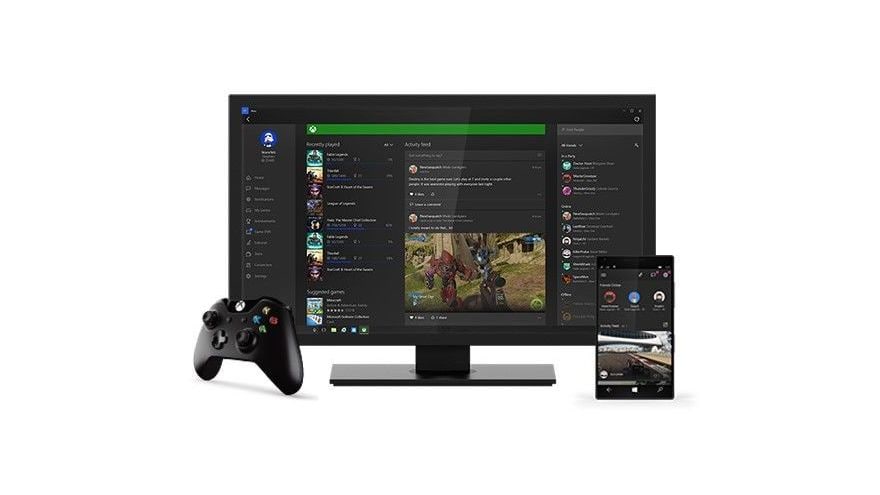
Sync to your Microsoft account and keep your documents in order thanks to the cloud service. Read and write texts as well as view and edit your photos on your phone, and then browse them on your PC (and vice versa). With fast and intuitive interfaces of Windows 10 applications you will always be on time.
Level up in your gaming
Most of the games on the market are (and for a long time will probably still be) available on Windows 10. This makes it the biggest gaming platform out there! With the 4K graphics and enhanced DirectX 12 performance your gaming experience will be even better than before!Your Microsoft account can be synced with your Xbox Live Gamer Tag. Download the Xbox application from the Microsoft Store, log in, and enjoy various games on your computer, unlocking achievements and adding new friends, all of which you will be able to see also on your Xbox console.
Key features
- Multi-tasking doing multiple things at once has never been so easy!
- The most popular operating system and the newest Windows gets regular software and security updates, so you won’t get left behind.
- Cross-platform and flexible system will assist you whichever of your devices you will be using.
- Faster and smarter the devices will recognize your presence, lighting up and greeting you.
- NOTE: This is a 1 PC, not-OEM version of the system.
Note: License code for 1 PC.
Note: This is the Home edition of Windows 10 N operating system, for full specification and functionality list please visit this website.
Warning! This product cannot be used to upgrade your system from other version!
Additional information
| Age Rating | 3 |
|---|---|
| Platform | Microsoft |
| Region | GLOBAL |
Activation Guide
Microsoft Windows 10 – Key Activation Guide
Table of Contents
- Microsoft Windows 10 Download Guide
- Windows 10 Activation Guide
- Windows 10 Phone Activation
Microsoft Windows 10 ISO File Download Guide
- To download Microsoft Windows 10 ISO file use tool available under this page: DOWNLOAD WIN10 ISO
- After clicking the button above you will be redirected to a product download page.
You can download Windows 10 installer there by clicking the download button marked on the picture below:
Windows 10 – Code Activaiton Guide
To activate Microsoft Windows 10 code, follow the guide below:
- If you are performing a fresh installation of Windows 10, you will be prompted to enter your code during installation

- Or, after installation, to enter the product key, select the Start button, and then select Settings > Update & Security > Activation > Update product key > Change product key.

To activate Windows 10 by phone, follow the guide below:
To activate any of the versions of Microsoft Windows by telephone, please follow the instruction below and use:
- Press the Win+R keys to open Run, then type: SLUI 4, then click on OK.
(Note that there is a space between SLUI and 4.)
- Select your country or region, then click Next.

- Call the provided phone number to reach the Microsoft Product Activation Center. You will first be walked through an automated menu where you must answer a few questions about what product you are trying to activate (Windows 10), whether you have previously activated it (No), and whether you have a product key (Yes).
- The automated system will now describe the Internet Activation process to you. You already know this information, but simply wait for it to complete.
At the end, the system will ask you if you still need assistance.
Tell it “Yes”, and then you will be taken to a human operator.
- The human operator will ask confirmation of what product you are trying to activate (Windows 10), and then they will ask you if you have an Installation ID (Yes – it’s on the same screen as the phone number you called).
- The human operator will then ask you to read them that number. I’ve found you can read it to them relatively quickly and they keep up just fine; and if you speak clearly, you usually only have to read it once.
- The human operator will then turn you back over to the automated telephone system, which after a few brief instructions will read your Confirmation ID to you.
Once the human operator hands the call back to the automated system, click “Enter Confirmation ID” and type in the numbers when they are read to you.
- Once you have entered the Confirmation ID, you can click Activate Windows and if your product key is valid and the numbers have been typed in correctly, you should be all set.

Microsoft Windows – Most Common Windows Errors
- Error code: 0xC004C008 – If you get error code 0xC004C008 please use Phone Activation as described above.

- Error code: 0xC004F050 – If you get an error code 0xC004F050 please check your current system installed. If it is different than the product key you bought, you will need to perform a new installation to the correct Windows system corresponding to the key you purchased.

If you encounter any issues during activation, please follow these steps:
- Open Start menu, type SLUI 04 and press enter.
- Select your country, and call the toll-free number.
- Follow the instructions provided by the automated activation system to receive a confirmation ID and activate your OS.

Reviews
There are no reviews yet.