
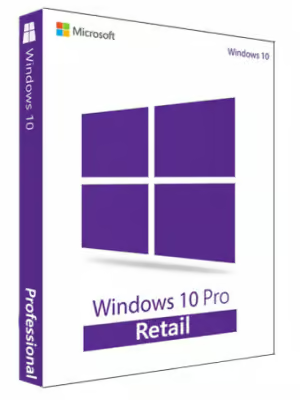
Microsoft Windows 10 Pro Microsoft Key GLOBAL
$14.20 Free digital delivery via email
In stock
- 30-day guarantee
- Secure Payments
Description
Note! Free Windows 11 Update Available (this product allows you to upgrade your system to WIN11)
Note: License code for 1 PC.
Note: This is the Pro edition of Windows 10 operating system, for full specification and functionality list please visit this website.
Warning! This product cannot be used to upgrade your system from other version! (ex. cannot upgrade HOME version to PRO)
Description
System for professionals
Windows 10 operating system provides you with freedom of work by giving you access to an impressive library of official and unofficial tools. The pro version of the OS offers you more advanced protection, business-oriented features like creating virtual machines, ways of remotely controlling your device and much more.
Edition pro for your safety and business
The Pro version of Windows 10 includes a number of useful features not contained in the Home edition. The most important include the advanced security of your data and files which can be protected by a Bitlocker encryption. BitLocker secures your files and BitLocker Go keeps your files safe on the removable storage devices.
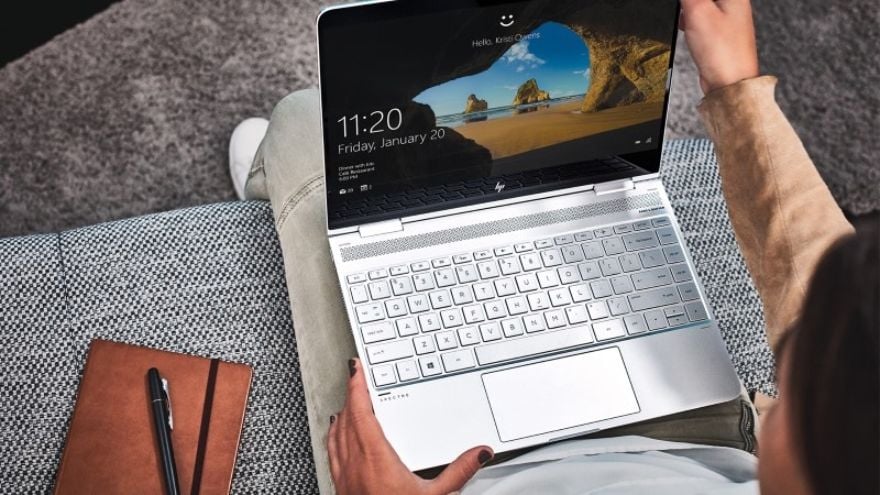
Manage your business safely
Windows 10 Professional offers many features that are helpful if you run a company. With Azure Active Directory the management of your company has never been as simple and effective. Turn your ideas into applications and manage them with Azure, as here you are provided all the necessary tools you need to create and implement and manage applications.
Put your device on Autopilot
With this feature, your Windows device does all the work by itself. It downloads all the necessary apps and updates from the Microsoft cloud. However, you still have control over the processes and keep track of how the progress is going. Moreover, setting up a device is not as boring and time-consuming as before, as now you can just personalize your computer, confirm a few steps and the rest is done via the device. Additionally, the Autopilot function allows you to connect devices with Azure Active Directory and then implement them in mobile management.
Microsoft Intune
This app allows you to manage Windows, iOS, macOS and Android devices from a single device. The cloud services are now distributed globally, which grants you the ability to manage the data provided for your employees and partners for more productivity. Intune protects all the Office 365 data and now you can have an insight into it from your mobile device. Additionally, if you have some issues the global support services are always ready to help you.
Additional information
| Age Rating | 3 |
|---|---|
| Platform | Other |
| Region | GLOBAL |
Activation Guide
Microsoft Windows 10 – Key Activation Guide
Table of Contents
- Microsoft Windows 10 Download Guide
- Windows 10 Activation Guide
- Windows 10 Phone Activation
Microsoft Windows 10 ISO File Download Guide
- To download Microsoft Windows 10 ISO file use tool available under this page: DOWNLOAD WIN10 ISO
- After clicking the button above you will be redirected to a product download page.
You can download Windows 10 installer there by clicking the download button marked on the picture below:
Windows 10 – Code Activaiton Guide
To activate Microsoft Windows 10 code, follow the guide below:
- If you are performing a fresh installation of Windows 10, you will be prompted to enter your code during installation

- Or, after installation, to enter the product key, select the Start button, and then select Settings > Update & Security > Activation > Update product key > Change product key.

To activate Windows 10 by phone, follow the guide below:
To activate any of the versions of Microsoft Windows by telephone, please follow the instruction below and use:
- Press the Win+R keys to open Run, then type: SLUI 4, then click on OK.
(Note that there is a space between SLUI and 4.)
- Select your country or region, then click Next.

- Call the provided phone number to reach the Microsoft Product Activation Center. You will first be walked through an automated menu where you must answer a few questions about what product you are trying to activate (Windows 10), whether you have previously activated it (No), and whether you have a product key (Yes).
- The automated system will now describe the Internet Activation process to you. You already know this information, but simply wait for it to complete.
At the end, the system will ask you if you still need assistance.
Tell it “Yes”, and then you will be taken to a human operator.
- The human operator will ask confirmation of what product you are trying to activate (Windows 10), and then they will ask you if you have an Installation ID (Yes – it’s on the same screen as the phone number you called).
- The human operator will then ask you to read them that number. I’ve found you can read it to them relatively quickly and they keep up just fine; and if you speak clearly, you usually only have to read it once.
- The human operator will then turn you back over to the automated telephone system, which after a few brief instructions will read your Confirmation ID to you.
Once the human operator hands the call back to the automated system, click “Enter Confirmation ID” and type in the numbers when they are read to you.
- Once you have entered the Confirmation ID, you can click Activate Windows and if your product key is valid and the numbers have been typed in correctly, you should be all set.

Microsoft Windows – Most Common Windows Errors
- Error code: 0xC004C008 – If you get error code 0xC004C008 please use Phone Activation as described above.

- Error code: 0xC004F050 – If you get an error code 0xC004F050 please check your current system installed. If it is different than the product key you bought, you will need to perform a new installation to the correct Windows system corresponding to the key you purchased.

If you encounter any issues during activation, please follow these steps:
- Open Start menu, type SLUI 04 and press enter,
- Select your country, and call the toll-free number. Follow the instructions provided by the automated activation system to receive a confirmation ID and activate your OS
Reviews
There are no reviews yet.